
Category: Mobile2CRM

  • Leveraging your CRM to the fullest

    Leveraging your CRM to the fullest

    While a lot of businesses have had CRMs for a while now, there are always new businesses that could benefit from a CRM system. Also, CRMs are always changing and evolving, so even businesses that have had them for a while could learn about some new features or benefits that they didn’t know about before.

    As with every evolving field, there is a great variety in the industry, with various companies that attempt to streamline and custom-tailor CRM systems to different industries. This can create confusion for many new businesses trying to select the right system for their company.

    In this article, we will go over the main advantages of CRMs to try to clarify what exactly is required from the system – so that you can leverage this fundamental tech to its full potential.

    Without further ado, let’s dive into our top CRM benefits for any business!

    Customer Retention

    First and foremost – few things have as significant a negative effect on a business as customer churn. High churn disrupts cash flow and reduces revenue; therefore, it is vital to maximize the retention of our customers.

    CRMs allow businesses to capture and log all customer interactions, thus enabling follow-ups, behavioural tracking, automation, and analysis of all touchpoints with clients. This directly affects the ability of a business to optimize itself to re-occurring business – encouraging engaged clients with further engagement and addressing problems quickly and efficiently, and driving customer satisfaction.  The direct result of that is an increase in the likelihood that they choose to invest back into your business.

    Increase in Sales

    Next up is another understandable ripple effect of the increased control of the sales pipeline. CRMs streamline the sales pipeline allowing sales reps to do their job more efficiently and spend more time doing what matters most – closing deals.

    Sales reps working without CRMs need to keep track of many moving parts that make their daily interactions with numerous clients. This creates a reality that distracts them from actually dealing with clients since there are so many actions required of them surrounding the sales process.

    CRMs allow for automation to take the burden of mundane tasks off of the sales rep, and enable him to focus on the task at hand.

    Marketing Optimization

    Marketing, like most things in business nowadays is based on data – CRMs provide marketers with direct access to the relevant data that is required for effective customer segmentation and understanding to better review the KPIs that the marketing team is working towards through the analysis of the actual customers that made it through the pipeline.

    Moreover, the automation that is such an integral part of many CRMs today extends in some cases into the marketing team’ allowing them to run campaigns directly through the CRM or augment existing automation software with the CRM level to further streamline the integration with the sales team.

    Automation

    One of the most advantageous parts of CRMs is the automation it allows across the board. Most CRMs today incorporate automation into most levels of the system – automated ticketing, automated mailing and customer support, automated reports, etc are industry standards today.

    We will dig into specific CRM areas that allow for dramatic improvements by utilizing automation.

    Organizational Communications

    As your business scales and grows, the number of employees will increase and the internal communication becomes complicated to manage. CRMs are used to share customer information, even remotely, thus increasing teamwork within the company.

    This allows for strategic cooperation which in effect allows for better organizational efficiency because different departments can use the fruits of other departments’ labor – driving business profitability and efficiency.

    Data

    The modern world, with the major advancement in big data analysis, enables businesses to utilize data to gain high-quality insights into their business and industry. There seems to be a major caveat that is often overlooked and that is how a business acquires, logs, and stores the relevant data to then utilize using whichever software it wishes.

    This integral part of the puzzle is often addressed with the use of CRMs since they are a focal point of most of the company’s data and are oftentimes compatible with various tools that enable the addition of whatever missing data needed to complete the picture for your specific company. Thus, creating a database from which you can extract meaningful insights into your customer behavior, marketing effectiveness, and strategic positioning of your business.

    Sales Analysis, Forecast + Customer Segmentation

    Within the sales world, the ability to predict the performance of a company’s sales team can be crucial to the general understanding of the welfare of the company. Cashflow and market position for instance are two major factors that influence decision-makers within a company and that are directly derived from a healthy sales forecast.

    This ability to analyze the customer data, evaluate the sales team performance and give valuable insights for future improvement, affects not only the sales team but also the accuracy of the sales forecast and overall quality of the leadership decision making process.

    Take away

    As I am sure you understand by now, a company’s CRM is a fundamental, powerful tool that can affect many different aspects of a company. There are many benefits to implementing such a system, yet each company is unique in its needs and therefore considering the different unique advantages of each CRM is vital to the effectiveness you hope to create in the implementation of the system.

    Every business has to take into consideration the variations that will help create a complete view and streamline operation for its unique value proposition and situation.

    I hope this has helped you gain some understanding of the advantages that such a system could potentially have for your company.

  • Hiring the Wrong Salesperson

    Hiring the Wrong Salesperson

    Hiring the wrong person for a sales position can be costly for a business. Not only do you have to spend time and money training the new hire, but you also lose out on potential revenue that could have been generated by a more qualified individual.

    This could potentially amount to a serious impact on a business’ revenue.

    In this blog post, we discuss the cost of hiring mistakes and the tools that can help you make better decisions when it comes to hiring salespersons. We will also provide some tips on how to reduce turnover and improve your sales team’s performance.

    In order to properly discuss the topic, here’s a breakdown of the costs involved (and actual damage…) when hiring the wrong person.

    • 3 months – Average time to fill sales position
    • $15k – Cost of hiring
    • 3 Months’ salary – Cost of training
    • $75k – Average first-year salary + Incentives
    • $2.1m – Average Tech sales rep yearly Quota

    Let us not forget the impact a bad sales rep can have on the company’s reputation. With their almost exclusive interaction with customers, a company’s reputation will live and die with its sales reps. An inadequate salesperson can damage a company’s reputation and thus not only impact the lost quota they failed to deliver but also cause a ripple effect on future business.

    Besides the direct impact above, the effect a bad hire can have on the company culture and productivity tends to be underrated. As we are witnessing a rise in teamwork culture, especially within Tech companies, the need for good chemistry between coworkers is more crucial than ever. One rotten apple can create a toxic “ambiance” jeopardizing corporate culture and employer brand that’s taken years to build!

    According to Harvard Business Review, bad hiring accounts for approximately 80% of employee turnover. This is a major factor in team chemistry making it even more difficult to sustain a good working rhythm within a company – directly reducing productivity and thus affecting revenue.

    As you can tell the cost of error can amount to millions…

    So what can we do about it? Investing in your Hiring Process is the starting point. The Onboarding process is even more important.

    Hiring, of course, should not be taken lightly, it is an important process that needs to be given adequate time and resources – starting with the Screening process.

    Having a well-defined screening process in place will help you sift through the initial pool of candidates and narrow down your options to a more manageable number.

    Define what criteria are important for your business and do not compromise over them, well-defined KPIs are critical for both you and the salesperson in creating a mutual understanding of what is expected from them and help you to evaluate whether they can perform.

    But what happens after they sign-up?

    This is where you need real, accurate, and comprehensive Data + Data + Data = Insights

    The more data you can log regarding your business the better the insights you will be able to draw from it and in sales, this is particularly true. Not only is it vital to know as much as possible during the hiring process, the onboarding and run-in process – the first 12 months of employment – are even more critical (and costly in case of a hiring error). This is a “blind” period during which it is extremely difficult to make an educated decision regarding your new salesperson’s performance and true potential.

    Acquiring data about your sales team daily allows you to both monitor and optimally support their productivity. Analyzing their performance with them to gain insights into how they can improve is a major part of every learning curve yet when the data is subjective and is viewed through the eyes of the salesperson it is hard to understand what went wrong and how to improve. This means that we should only rely on objective, accurate and comprehensive logging and monitoring tools, that are also automatic and do not impede sales folks’ efficiency.

    These tools are of great value for monitoring the team’s performance and revealing a bad hire early – thus significantly reducing the cost of mistakes. This monitoring can be done by analyzing the data logged by the team within the company CRM and understanding how they are performing daily.

    OK, but what data should we be monitoring? And how do we make sure the data is real, accurate and comprehensive, and most importantly – objective?

    The accurate documentation of the interaction itself with the customer is the most sought-after data for gaining meaningful insight. The integration with the business email and the CRM is of course a good start – enabling the capturing of email interactions with clients into the company system where it can be assessed. But these days it is merely an insufficient start.

    Cell phone communications with clients (voice, message, Whatsapp, etc.) provide both the salesperson and the training team with objective data regarding the quality of the conversation. Allowing the team to reflect upon the calls and determine what is required of the salesperson in order to improve their performance. Not only is this information important to the company who can train their reps efficiently and reveal “bad apples” earlier, the sales reps themselves can analyze and improve, boosting productivity across the board.

    There is a clear rise in demand towards versatile and flexible communication with customers in recent years. This rise in demand is reflected by the sales reps, with an estimated 60% of business calls made using cell phones. Furthermore, remote work models only increase the need for flexibility and cell phone use by employees.

    The acknowledgement of the importance of this documentation is not a new phenomenon. Traditionally the use of landline work-only phones enabled seamless, easy logging of all of this precious data. Yet as we have established this is no longer the case and thus obtaining and documenting these interactions has become an organizational nightmare that requires utilizing various different solutions in a cumbersome fashion.

    The difficulty of this process results in a glaring blind spot, that inhibits the companies’ ability to make use of the knowledge in both training and sifting through the salespersons as they complete their training in the company.

    How would you feel knowing that after investing all the money into the early stages you still weren’t able to get it right? Even more so, knowing there was more you could’ve done.  

    This is where solutions such as Mobile2CRM come into play. Enabling logging and capturing of voice, message, and Whatsapp into the company CRM with full transcription and even advanced summarization features. Not only does it allow accurate, objective and full logging of the data – Mobile2CRM also helps businesses gain insight with AI analysis features that create insight from blind spots.

  • Data – How do we utilize it in our CRM?

    Data – How do we utilize it in our CRM?

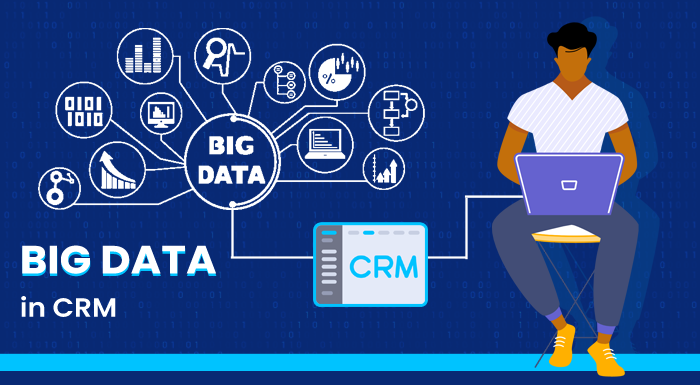
    Staying ahead of the competition means that businesses must continuously find new and innovative ways to improve their customer relationships and increase their customer base and market penetration. One way to do this is by using big data tools within your CRM system. This article explores the relevance of big data and data science to businesses and discusses how businesses can benefit from utilizing big data tools within their CRM systems. We will also look at some of the applications where big data is being used today to streamline the business pipeline. Data allows us to understand our business and customer interactions on a deeper level, so it is essential for businesses to utilize all of the data they can, in order to create a successful business strategy.

    So let’s start as expected – at the end. Why are we driven to explore different channels through which to drive change? Why drive change, to begin with? What is the end goal of it all?

    Well, to a business, the obvious end goal is revenue and profitability, and as we all know this is directly correlated to our ability to stay relevant to our customers throughout a prolonged period of time. Therefore, we must be capable of adapting and reacting to the changes in our customers’ needs, our competitive landscape, and macro changes in the market as a whole.

    The question most executives will ask themselves next, after understanding and accepting that change is inevitable, is – how do we establish a process that will enable us to make strategic decisions in an effective and educated manner?

    Well, as with every decision we make, we must have a sufficient understanding of our business environment so that the decisions we make and strategy we choose are relevant. Otherwise, we risk deciding upon changes while disregarding the actual need of our customers due to misinformation on our end.

    Establishing a deep understanding of the market within which every business operates is oftentimes directly correlated to the quality and quantity of communication channels the business has with its customers. As customers are the defining factor that ultimately makes or breaks the market – not only do they have the problem, they are the ones who decide the value of each business’s solution to the problem.

    So first, we must understand how we are going to create reliable communication channels with our customers. Technology has made this increasingly easy for businesses with the use of CRM systems. These systems track and capture all data regarding the customer and log every interaction the business has with every customer. Effectively generating a comprehensive and accessible database. (Checkout – Text message archiving strengthening Organizations )

    The most important aspect in creating these channels is that we want the data points tracked to be different to create as complete an image as possible for us to work with. In practical terms, this means capturing various types of interactions with customers, be it email, voice, messages, support interactions, etc.


    So now that we have established a reliable information channel regarding the market we are working within and we have the information enabling us to make a decision, this is exactly where data exploration can come in handy.

    The next step is understanding and tracking the lifecycle of our customers so that we can make the educated decisions we’re after. This lifecycle is affected by many different factors and thus is difficult to analyze. This is where we start benefiting from big data! The idea is that with the advanced analytics software available to us today we can gain incredible insight into the lifecycle of our customers and answer hard questions regarding ways we can improve and streamline our process: (for further example checkout Intelligence ci empowering sales teams)

    • Why doesn’t an individual become a customer?
    • What are the commonalities between our long-lasting customers?
    • What new markets have we been gaining traction with the most?
    • what are the most effective ways to communicate with customers?
    • Where are the most relevant pain points customers are experiencing with our product or service?

    These are all points that can be solved by tracking and analyzing various components of the data over time. Therefore, we must lay down the foundation that will allow adequate data capturing so that we can then monitor both the organic changes that occur in the market and diagnose the effects various actions that we take as a business have on our success rate – overall driving better and more effective business decision making across multiple business facets. (For further reading on the topic – Are you really making informed decisions? )

  • Call Recording – Partial Compliance is Really Non-Compliance

    Call Recording – Partial Compliance is Really Non-Compliance

    Some events have such a dramatic impact on the world that we can split our history into “before” and “after” that event. The COVID-19 pandemic is one such historical event. While it’s certainly true that remote working was on the rise pre-pandemic, the pandemic accelerated remote working to unprecedented levels. Supported by advancements in mobile technology capabilities, remote working is now commonplace worldwide.

    However, as employees increasingly turn to cell phones to help support them in their roles, regulators are beginning to require that financial services, healthcare providers, insurers, and other sectors capture and retain call recordings made on cellular devices.

    Unfortunately, the sharp rise in personal cell phones for business use has happened so quickly that many people are unaware of where they stand concerning compliance. With this in mind, let’s look at which sectors require call recording and what that means for mobile communications.

    Which Sectors Are Required to Record Calls?

    At Mobile2CRM, we’ve conducted extensive research into which sectors require call recording today and which are likely to require it in the future. Companies in all industries must keep up to date with the changing compliance landscape to avoid falling victim to fines and reputational harm.

    Reading the information in this article, you might find that even if you’re mostly compliant, “mostly” doesn’t count and you should be taking a more effective approach. You might also find that you’re in an industry where cellular recording will be required for compliance in the very near future. Whatever the situation, it’s paramount that you prepare today to avoid the chaos when new regulations come in – no one wants regulators knocking on their door for a problem you could have avoided.

    Fundamental Compliance Across All Sectors (Consent)

    Unless you’ve been living under a rock, you’ve probably heard the phrase “this call is being recorded for…”. This phrase is at the route of fundamental compliance – requiring consent from one or all parties that the call is being recorded. Critically, consent laws vary between regions. For example, states like Kansas only require one-party consent, while states like California, Delaware, Florida, and Illinois require all-party consent.

    It’s also important to note that implicit consent is sufficient in some areas of the world, like the US, while in other areas, it’s not. For example, in the US, simply informing someone that the call is being recorded is considered consent (consumers have the option to terminate the call if they don’t want to be recorded). However, in Europe, under GDPR, companies need to get explicit consent (the other party has to affirm they understand and are willing to proceed).

    As a result, companies dealing with European customers should update their call scripts to ensure full compliance with GDPR.

    Finance

    Buckle up! The finance sector incorporates a lot of different organizations with distinct roles in local and global economies. For example, banks and credit unions, investment houses, private equity dealers, debt collection companies, hedge funds, mortgage brokers, and many more all fall under finance. And as a rich and complex industry, finance is subject to a wealth of regulations.

    These regulations are constantly being updated to reflect the more prominent role of mobile devices in the workplace. For example, a Registered Investment Advisor (RIA) who advises clients on investments and manages their portfolio is more likely to communicate with clients on their personal mobile device today than ever before. But the RIA is still registered with the U.S. Securities and Exchange Commission (SEC) and will therefore need to be compliant with SEC guidelines. With this in mind, let’s take a look at the changing financial compliance landscape concerning mobile communications.

    The SEC recently updated their advice to recommend that financial advisors “review their risks, practices, policies, and procedures regarding electronic messaging and to consider any improvements to their compliance programs that would help them comply with their regulatory requirements.”

    In simple words, the SEC is cracking down on the use of mobile devices by broker-dealers. Federal law requires that financial firms keep meticulous records of messages between brokers and clients to ensure compliance with anti-fraud and anti-trust laws. Unfortunately, mobile devices can tempt advisors to skirt around these laws. The SEC deems this unacceptable. We recently saw JPMorgan hit with a $200 million fine for doing this very thing – letting employees use WhatsApp to evade regulators’ reach.

    Of course. financial organizations might not be intentionally trying to avoid regulators. However, the point still stands, that mobile devices might still land you in hot water if communications aren’t captured, logged and recorded appropriately.

    Other financial regulatory bodies already have rules pertaining to call recording and are also updating their regulations to capture and retain the data related to the use of personal devices for business calls. For example, in the US, regulators like FINRA, NACHA, FDCPA, and the Dodd-Frank Act outline rules for advisors. NACHA for instance, requires that if you’re accepting ACH payments by telephone, you need to get verbal consent from the customer. Similarly, to increase transparency in the sector following the 2008 financial crash, the Dodd-Frank act requires all calls and texts with consumers to be recorded and archived.

    Beyond the US, other locales have their own compliance rules to contend with. For example, financial institutions in the UK are subject to FCA guidelines on call recording, including the SYSC 10A rule[1], which requires financial firms to take “reasonable steps” to record telephone conversations with customers and keep a copy of any electronic communications. MiFID II (an EU wide directive) also requires that firms periodically monitor transaction records and all relevant conversations relating to transactions to be compliant.

    In Canada, firms must be compliant with IIROC and be able to supervise and retrieve all business communications made on any communication device.

    We could go on, but you get the picture – the financial compliance landscape is vast and has a lot to say about capturing communications with consumers – including using cell phones. Falling short of these compliance standards can result in hefty fines.

    Healthcare

    In the US, all companies that handle protected health information (PHI) are subject to HIPAA regulations. In simple words, PHI is any medical record that can be used to identify an individual. This can include conversations between patients and medical practitioners, billing information, diagnosis code, health insurance information, etc.

    To be HIPAA compliant, healthcare providers must ensure that all PHI data is handled securely, whether that information was presented in a phone call, email, text message, or any other communication medium.

    HIPAA also stipulates several other rules around telephone calls with patients. For example, HIPAA outlines “allowable reasons” for contacting a patient via telephone, including appointments, health checkups, lab test results, and pre-operative instructions, among others[2]. And critically, companies can’t contact patients for “allowable reasons” more than three times a week. Healthcare providers are also only allowed to contact patients with their consent (consent is typically assumed if the patient provides the company with their telephone number)[3].

    Additionally, healthcare organizations have to contend with other regulatory bodies where applicable. For example, if a healthcare employee takes credit card information, they must ensure they are PCI compliant (more on this in the next section). Similarly, patients have to give consent for their call to be recorded and should be notified of any additional parties (like a manager) listening in. 

    Healthcare providers can prove HIPAA compliance by recording patient calls and other communications. How long must HIPAA compliance records be retained? For a minimum of six years. However, organizations also have to adhere to their state’s retention policies. For example, North Carolina requires that hospitals maintain patient records for 11 years from the date of discharge[4]. Implementing this today over direct cellular calls between practitioners or staff and patients, without a native cellular solution or service that captures, and retains the information is quite impossible, ergo – non-compliance.

    Call Centers

    Beyond specific industry regulations, call centers must comply with other regulatory bodies, including PCI, TCPA, TSR, and HIPAA (where patient information is involved).

    For example, all agents that accept payments must ensure they are compliant with the Payment Card Industry Data Security Standard (PCI DSS). This set of requirements is designed to protect consumers’ payment card information from nefarious actors. Essentially, criminals need both the long card number and the CVV security number to make fraudulent purchases. With this in mind, PCI requires businesses to ensure that CVV numbers aren’t recorded since this poses a significant security risk.

    It’s also important to note that companies who engage in telemarketing must comply with the Do Not Call Implementation Act. This act aims to protect consumers from unwanted calls by allowing consumers to place their telephone number on the National Do-Not-Call Registry. To be compliant with this law, telemarketing companies have to verify their call lists against the National Do-Not-Call Registry.

    [1] https://www.lexology.com/library/detail.aspx?g=f96960ac-1c0e-4ecc-a5e6-de8dcfb63ec5

    [2] https://www.hipaaguide.net/hipaa-telephone-rules/

    [3] https://www.hipaaguide.net/hipaa-telephone-rules/

    [4] https://www.hipaajournal.com/hipaa-retention-requirements/

  • Why Should You Record Mobile Sales Calls

    Why Should You Record Mobile Sales Calls

    It should come as no surprise that mobile devices are playing an increasingly prominent role in modern workplaces, and with good reason. Cell phones offer numerous benefits to organizations in the digital age. For example, they allow employees to remain in contact with the office, customers, and vendors while on the go. They also promote remote working, increase productivity, and boost sales.


    Interesting? Here’s how

    These benefits and others have led to the world we see today, where 75% of workers use their personal cell phones for work. Bring your own device (BYOD) policies are now a hallmark of modern businesses, with a whopping 83% of companies having some form of BYOD policy. And these policies create a real, measurable impact – generating around $350 in revenue per employee annually[1].

    However, while mobile devices undoubtedly improve operations, many organizations still underutilize their potential. How? By failing to record sales calls. When it comes to contact centers, most companies are aware of the critical importance of sales call recording, typically utilizing call recording platforms to drive better decision-making and ensure regulatory compliance. But far fewer organizations are using sales call recording software for mobile devices.

    Make no mistake, whether it’s a BYOD or a corporate-issued cell phone, recording sales calls is paramount. With this in mind, let’s discuss the top reasons you should record mobile sales calls in your organization.

    Improving Sales Performance

    One of the most compelling reasons to record sales calls is that it can boost sales performance, ultimately leading to more conversions and higher revenue.

    Sales call recording software allows sales reps to revisit their customer interactions and gain valuable insights. Sales reps have new conversations with prospects all day, every day. As a result, they fall into set patterns and routines, often discussing the same topics repeatedly. While sales reps will undoubtedly develop positive habits as they become more experienced and figure out what works and what doesn’t, they could also unknowingly develop negative habits. Sometimes our behavior becomes so ingrained that we don’t even realize we’re doing it. That’s where replaying sales calls come in. Reps are more likely to spot features of their interactions that can be improved by listening to sales recordings.

    During the call, sales reps are so focused on the prospect on the other end of the line that they might miss key details. Sales calls can also vary dramatically in length, with some lasting mere minutes while others, like a sales demo, lasting upwards of an hour. Calls on either end of this scale present distinct challenges for sales reps when it comes to analyzing critical details of the call. It’s easy to lose focus in a lengthy call, and short calls often go so fast that they’re over before you have time to truly process the interaction.

    Reps – and their managers –  can hone in on the specific moments of success and failure by replaying sales calls. For example, did they say something that changed the prospect’s mood? Was there a point where everything started to come together (a breakthrough)? Or fall apart?

    Recording sales calls also empowers reps to pick up on customer details they may have missed the first time around. Armed with this information, they can go into the next call with a clear idea of the prospect and their needs and offer a personalized experience. Nothing turns away a prospective customer faster than being treated like a faceless number.

    Training and Quality Assurance

    Leading on from the last point, recording sales calls allows companies to take a more scientific approach to crafting the perfect sales technique. Organizations can compare the sales calls of their highest performing reps to those of struggling agents and determine what types of interactions are the most effective. They can then use this information when training both new and seasoned sales reps.

    Monitoring sales calls is also essential for quality assurance, allowing businesses to determine customer satisfaction levels at any point in history, including the present. Of course, customer satisfaction is complex and can look different across industries. However, some key elements of high-quality calls are skilled listening, appropriate language and tone of voice, good rapport, effective questioning, and a good closeout. Companies can determine whether their rep-prospect interactions have these features with sales call analysis.

    Lastly, if you notice customer sentiment changing, you become better prepared to take preventative measures and get everything back on track. If there’s an issue with the product, you can alert the product engineers, and if there’s an issue with marketing, the marketers.

    Improve Your Product or Service

    Cell phone sales calls are potentially packed with valuable information about what your customers want and expect from your product. By listening to these calls, product development and marketing teams gain greater insight into customers’ problems, how they use the product, and what they think needs to be improved. They can then use this information to create better products and experiences that resonate with the customer base.

    Often, products created for one purpose become co-opted for another. For example, Kleenex started as a disposable towel to remove makeup. However, when customer feedback began to roll in, they realized most people were using Kleenex tissue to blow their noses[2]. As a result, Kleenex shifted their advertising, and their sales doubled.

    Sales calls are uniquely effective in gaining customer feedback because they allow customers to speak freely. For example, other customer feedback methods, like a survey, might unconsciously drive customers down one path because the survey creator designed the questions with biases already present (assumptions of how the product is used).

    Resolve and Reduce Disputes

    Call recording can be an organization’s most robust line of defense when disputes arise. Disputes can vary in severity from essentially minor impacts (potentially losing a customer) to costly litigation. Recording your calls ensures that you’re not relying on “he said/she said” and can instead rely on hard evidence. Managers and other high-ranking decision-makers can listen to the call and decide on the best course of action to resolve the issue.

    Legal Compliance

    Ensuring regulatory compliance is one of the most critical reasons to record sales calls. Organizations risk facing hefty fines and potentially catastrophic harm to their reputation if they fall on the wrong side of the law. Luckily, by recording sales calls, legal compliance becomes much more straightforward.

    Of course, regulatory compliance varies considerably between countries and industries. For example, US federal law permits call recording with only the consent of one party, and some states also use the one-party consent policy. However, other states, like California, Florida, and Nevada (among others), require two-party consent.

    Internationally, the compliance landscape varies wildly, with some countries having no specific call recording laws and others having plenty. For example, Canada uses an “all-party” consent model where calls can only be recorded with everyone’s permission, and the purpose of the recording has to be stated. And businesses operating in Europe have to be compliant with GDPR, which also requires consent from all parties.

    Then there’s industry-specific compliance. For example, the UK’s financial regulatory body, the FCA, requires that all conversations related to financial transactions be recorded. This means that all financial institutions, including commercial and retail banks, hedge fund managers,  and investment houses, must record and archive their sales calls as proof of compliance. The same is also true for UK-based insurance and claim management companies, travel agencies, and retailers that offer credit financing to customers. Other countries have different laws.

    Companies can ensure compliance with regulatory mandates in different ways. For example, in two-party consent states, companies might use an automated message at the beginning of the call notifying the listener that the call is being recorded (and sometimes why). Alternatively, they could make this part of the sales rep’s script, asking them to gain explicit consent from the customer. A simple notice in the pre-call email might be the preferred option in other situations.

    But of course, regulatory compliance isn’t just about doing what’s required but also proving that you’re doing it. That’s where sales call recording comes in. By recording your sales calls, even those on cell phones, you can prove that you got consent from the other party. Encrypted call recordings are also legally admissible in court should you ever need to use them in a legal dispute.

    Additionally, sales agents are more likely to comply with company and legal standards when they know calls are being recorded.

    Separate Business from Private Calls

    Companies with a BYOD policy need to foster a culture of appropriate conduct around using personal devices for business calls. Reps will be keenly aware of how they should behave and avoid slipping into leisure-time habits by recording sales calls made on personal cell phones. In other words, recording sales calls keeps everyone accountable.

    Next Steps

    If your organization isn’t already recording your mobile sales calls, then there’s no better day to turn that around than today. So get in touch to find out how we can help you achieve the benefits discussed in this article.

    [1] https://www.zippia.com/advice/byod-statistics/

    [2] https://www.printwand.com/blog/9-stellar-examples-of-the-unintended-use-of-products

  • Archiving Text Messages – SMS Archiving Strengthens Your Organization

    Archiving Text Messages – SMS Archiving Strengthens Your Organization

    cms call recording requirements

    Organizations are already archiving emails, but what about text messages? SMS messages are becoming an increasingly important part of business communications as part of the digital transformation, and with good reasons. Text messaging is accessible, has a low barrier to entry (it’s something we’re all already doing), and promotes fast two-way exchanges that facilitate accelerated business results. Moreover, archiving of business text messages is now possible.


    Interesting? Here’s how

    The COVID-19 pandemic was also instrumental in transforming text messaging from a casual channel mostly reserved for low-stakes chatting to a powerful medium for discussing business-related topics. In a world thrown into remote work, colleagues and clients weren’t able to meet face-to-face, and SMS and other messaging platforms became the natural solution.

    However, many organizations are unprepared or resistant to this change due to concerns over regulatory compliance. In other words, companies need to have control over their business text messages to fully embrace business texting.

    Luckily, there’s a straightforward solution to this problem: archived text messages. With this in mind, let’s look at why forward-thinking companies should embrace SMS for business and the importance of archiving text messages today.

    Why Your Company Should Use Business Text Messaging

    Businesses use a variety of communication tools to promote seamless and effective conversations between employees and customers. Email has long been a popular communication medium, and while it’s still going strong today, it’s not without its drawbacks. According to a study by Radicati, the average American worker receives a whopping 126 emails a day[1]. Moreover, the number of emails sent and received globally every day has increased each year since 2017, with figures expected to reach 376.4 billion emails by 2025[2].

    For many people, the number of emails they receive in a day is overwhelming. Faced with an inbox bulging with many 100s of emails, it’s no surprise that people are often slow to respond to emails or miss them entirely.

    Text messaging has a unique advantage here. What is it? Well, take a look at your phone. How many missed calls or unread emails do you have? For calls, it might be just a few, but it’s likely in the 100s or even thousands for emails. But what number of unread text messages do you have? If you’re like most people, the answer is probably 0.

    We tend to view text messages as direct lines of communication that need a timely response. And studies support this theory. For example, research by SinglePoint found that texts have a 99% open rate. Further, texts aren’t just opened, but they’re also opened quickly. A study by Forbes found that a whopping 95% of texts are read within three minutes[3].

    For businesses, this means text messages can be incredibly powerful. For example, business texting among workers allows colleagues to ask critical questions on the fly and receive immediate responses. In other words, it allows workers to be more productive and do their job more effectively. The casual nature of texting also enables employees to develop stronger personal connections that boost team morale and promote better collaboration.

    Businesses enjoy similar benefits when it comes to texting clients or customers. According to one study, 85 percent of smartphone users prefer text messages to calls or email[4]. And in 2022, almost all your clients and customers will be smartphone users.

    Business text messaging can help strengthen business-client relationships in many ways:

    • In the digital age, the companies that offer personalized customer experiences are the ones that thrive. Today, people want closer emotional connections with the businesses they support, and text enables this. SMS is more personal than other channels.
    • It provides a direct line of communication. Depending on the industry, some clients need fast and direct access to their business partners to deal with critical situations.
    • Reduce operational costs by taking pressure off the inbound call team. Agents can handle many more text exchanges than phone calls.

    Why You Should Archive Your Business Text Messages (The Importance of Text Archiving)

    Business texting is going strong and is here to stay. Still, worldwide, many regulations demand that companies be able to record and produce text message exchanges when asked. For heavily regulated industries, like finance, healthcare, education, and government, the need to archive text messages is even more crucial. With this in mind, let’s dive deeper into why organizations should archive text messages today.

    Regulatory Compliance

    Compliance is one of the top reasons to implement a text message archiver solution. While some industries have more stringent regulatory rules, almost all industries need to observe some communication regulations. For example, the following regulatory bodies require companies to monitor and retain all electronic communications, including business text messages: HIPAA, HITECH, MIFID II, GDPR, GLBA, FINRA, FISMA, FRCP, Dodd-Frank Act, and SOX.

    With both internal and client-facing communications happening over such a wide range of channels, it’s easy for communication policies to fall out of use. Additionally, in a world where remote working is now the norm, it’s easy for employees to blur the lines of business and casual chat, potentially leading to some less-than-professional text exchanges.

    Whether on Android or iPhone, business texting needs to be captured to ensure organizations stay on the right side of the law. Failing to archive text messages can lead to hefty fines and reputational damages.

    Establish One Version of the Truth

    Leading on from the last section, not having a clear record of the truth can lead to conflicts and disputes between employees and clients. The reality is human beings aren’t perfect. Sometimes we misremember an exchange, forget about it entirely, or in some cases, intentionally delete communications we’re not proud of.

    The way companies use mobile messaging has changed significantly over the last decade. In the past, employees were almost always given a dedicated company smartphone if they were expected to communicate with clients on the move. However, today, it’s much more common for employers to adopt a Bring Your Own Device (BYOD) approach, where employees can use their personal phones. In addition, some companies define additional protocols like requiring employees to use a dedicated business communication app that has its own company phone number.

    While the BYOD approach has many benefits for both employees and businesses, such as lowering costs and training burden, it comes with unique risks. For example, employees may fall into texting habits they have for their personal mobile, even when communicating with clients. And then what happens if an employee deletes a text exchange and pretends it never happened? The same could happen on the client-side too. Another critical issue when adopting BYOD is the need to separate personal from business-related texting – for privacy and regulatory compliance reasons.

    Archiving solves this problem, establishing one verifiable version of the truth. It also holds both clients and employees accountable for what they say, promoting more conscious texting. Archived text messages can play a key role in sales, support, compliance and operations. For example, if an employee over promises to a client over text, their managers can step in to provide more training or take disciplinary action.

    Businesses can still deploy a BYOD approach and easily archive text messages on Android or iPhone.   Only problem is separating business vs personal messaging – – as stated above.

    Streamline and Optimize Business Communications

    Archiving Android and iPhone business texting exchanges provides troves of data that companies can mine for valuable insights. For example, companies can use successful text message conversions (ones that strengthen relationships or boost sales) for employee training. Analyzing text message data can also uncover the strengths and weaknesses of your messaging strategy.

    Litigation Preparedness

    Beyond regulatory compliance, there’s another crucial reason to capture mobile text messages – legal protection and preparedness. While being hit with legal action is the last thing an organization wants; unfortunately, it’s not uncommon.

    If you do find yourself involved in a court case, you’ll wish you took the time to archive text messages. Mobile messages are a critical element of eDiscovery because they can prove the falseness of claims and build a picture of the truth.

    Create Better Marketing Campaigns

    Mobile marketing is far more effective than email marketing due to text messages’ high open rates and response rates. By archiving marketing SMS messages, companies have a comprehensive overview of their mobile marketing campaigns and can use this information to create more effective campaigns in the future.

    Stop Leaks in Their Tracks

    You can tailor business text message archiving solutions to send alerts when users type specific keywords. For example, let’s say a client asks an employee for details about an upcoming project they’ve heard rumors about. The employee might share these details, not realizing they are sharing sensitive information. This can also apply to sharing sensitive files, employee records, or details of vendors. With alerts, employees can be informed when they are potentially sharing sensitive information and advised to choose their words carefully. 

    Final Thoughts

    With text messaging becoming a ubiquitous part of business communications in the modern era, there’s never been a greater need to archive text messages. With archived text messages, you can strengthen your business relationships, protect your company from sensitive information leaks or litigation issues, and ensure you’re compliant with current communications regulations. Lastly, archived text messages are a rich source of valuable insights that organizations can leverage to become better communicators.

    [1] https://www.radicati.com/wp/wp-content/uploads/2015/02/Email-Statistics-Report-2015-2019-Executive-Summary.pdf

    [2] https://www.statista.com/statistics/456500/daily-number-of-e-mails-worldwide/

    [3] https://intelligentcontacts.com/15-text-messaging-statistics-every-business-should-know/

    [4] https://uk.pcmag.com/why-axis/128434/businesses-take-note-your-customers-prefer-texts

  • How Call Recording of Employees’ Cell Phones Can Boost your Business

    How Call Recording of Employees’ Cell Phones Can Boost your Business

    Businesses far and wide rely on data to grow; this is not news. However, the ways and means that data is collected, analyzed, and put into action are what really matters in our data-flooded marketplace. Company call recording of employees’ mobile and landline exchanges with customers is one of the best ways to use data and information that is already at your fingertips and just waiting to be leveraged for better business decisions and results. Calls, landline and cellular, also can be transcribed for efficient search and analysis.

    Since the 1960s, when the first answering machines hit the market, telephone call recordings have made life more efficient and productive with a means to save and access our voice communication at later times. Fast forward, and we’ve been using call recordings in call centers for decades, and now, our mobile devices can continue to give us instant access to a wealth of knowledge. In today’s business world, we often use cell phones for work and business communications, which means that landlines and cell phones are equally important in ensuring customer satisfaction and improving products and services. Company call recordings – landlines and cellular – are a win-win on both sides of the business transaction in the modern mobile business world. 

    Let’s jump in and explore some tactics for recording information by telephones and smartphones and their benefits for businesses. 

    Monitor and Utilize Company Call Recordings to Ensure Quality, Improve Customer Satisfaction, and Boost Employee Performance

    Improving customer satisfaction is paramount for any business. We want our loyal users, customers, or clients to feel heard, seen, and appreciated. With company call recordings, businesses can easily identify lost customer information, miscommunications, or missed details. Such errors are easy to overlook and can result in decreased revenues; recordings give us the means to re-access and reassess. Complaints can be addressed, disputes can be resolved, and when issues arise, you don’t have to take someone’s word for it; you can listen in real-time to all previous exchanges and find roper solutions. 

    Easily Resolve Disputes 

    When disputes occur, it’s easier for your business to protect employees’ and customers’ interests. Instead of relying on word-of-mouth, directly access your saved company call recordings and have the facts of every situation at your fingertips. For example, if an employee claims a customer was offensive or abusive, you can find the evidence and confirm or dispute the claim. Similarly, if a customer claims an employee promised them a discount, you’re able to verify with proof. 

    Track and Record Important Customer Data

    According to Forbes, 86% of buyers will pay more for a great customer experience. Tracking and recording customer data in your CRM can help you sort through the valuable information you need to improve customer experience. With CRM integration, you can analyze calls based on specific information, such as call duration, search for exact topics discussed, or listen to particular agents in order to identify areas of improvement and raise the quality of your employee’s call performance. 

    Upgrade Sales Scripts

    If well-thought-out and methodical game plans are your number one goal, business call recordings can help you adjust your sales scripts and call strategies to be more specific while being more effective for customers. Tweaking how employees greet customers or say farewell can significantly benefit the business, and additional phrases for upselling can quickly boost your bottom line. Listening to your call recordings in order to continually adjust these scripts is an invaluable asset and a gift that keeps on giving to your sales or customer service departments. 

    Use Company Cell Phone Call Recording for Employees to Revamp Training, Marketing, and More

    Training

    Say goodbye to inefficient training methods. A cell phone recording system for businesses and companies can give you the right tools for training new team members thoroughly and efficiently. Recordings give you real-life examples to demonstrate, such as practices to avoid, how to handle customer complaints, how veteran employees effectively upsell, and much more. 

    Upper-Level Management 

    Get the best out of your call recordings by having managers and agents listen in on calls together. Go over the positives and negatives that occur during customer phone calls and find areas of improvement together. This tactic can help the entire team find solutions to common problems and can help each individual team member be more effective and efficient in their position. 

    Compliance

    Comply with legal issues by having full access to past calls. If your company is tied up in a lawsuit or other legal matter, a call recording system integrated with your CRM can log calls for extended periods of time and can help your company prove compliance with the law by offering recordings as evidence. Playing the he-said-she-said game is often ineffective, and it’s better to be safe than sorry when protecting businesses and employees.

    Marketing Departments

    Customer satisfaction is just the beginning of successfully leveraging company landline and mobile call recordings. Marketing departments can further explore some tactics for recording information received by telephoneFor example, phone recordings can provide valuable insight into evaluating the progress of new product or service launches and shedding light on areas that need improvement. Recordings can also bring marketers awareness of market trends and the ability to pinpoint and address pains and needs. 

    Leveraging data can be easier than it sounds. A landline and cell phone recording system for businesses that integrates mobile business calls to CRM, and can transcribe them (in real time) is the ultimate way to cut through the noise-filled data and help you identify exactly what your business and customers want and need. Improve customers’ satisfaction, boost sales, employ better marketing strategies, and protect your business with company call recording of mobiles and landlines for employees – while guarding and maintaining the privacy of mobile personal calls and other personal means of communications (SMS, Whatsapp).

    FAQs

    What is company call recording?

    Company call recording refers to saving the audio of cellular and landline phone calls among employees and between employees and customers so that they can be recovered and assessed for a variety of business needs.

    How are call recordings saved?

    A: Call recordings are saved to software such as CRM (Customer Relationship Management) tools, secured encrypted call logs and dedicated call recording platforms.

    How long can call recordings be saved for?

    Companies can store call recordings indefinitely.

    Is it possible to transcribe the call and add it into the CRM customer’s record?

    Yes, call transcription is available also in the CRM, so word search, analytics and reports can be deployed.

  • A Guide to Integrating Microsoft Teams and Cellular Phones

    A Guide to Integrating Microsoft Teams and Cellular Phones

    The pandemic has accelerated the adoption of various communication platforms including Microsoft Teams, Zoom and Slack. The need for a complete workspace offering that has chat, videoconferencing, application integration, and storage features to seamlessly transition into the new work-from-home normal allowed companies to experiment with different platforms.

    Among the most preferred business communication platforms was Microsoft Teams that exploded in popularity during the lockdown. The daily active usage of Teams went from 32 million in March 2020 to 250 million by July 2021. As employees felt more convenient collaborating on Teams, regular meetings and conference calls were conducted on the communication platform.

    Now, having experienced the numerous productivity benefits of Microsoft Teams, organizations want to continue using the platform and are even considering using Teams as their primary phone system, replacing their existing legacy or cloud PBX system.

    With no certainty over the full return back to offices, work from home and hybrid workspaces are here to stay. Organizations are looking to be more strategic and take advantage of the situation while ensuring work doesn’t get interrupted. They’re looking to add solutions that make remote work feel normal and connected.

    While video conferencing and video calls work great for meetings and work sessions, regular cellular phone calls have become the preferred communication means among colleagues, and with customers and prospects. This drives more and more organizations and companies to look for a holistic solution that integrates their landline and cell phone communications onto one platform. For example, this brings organizations to consider replacing their legacy PBX systems with Microsoft Teams. The next natural step in the ‘evolution’ is that along with replacing the telephony infrastructure, they are also looking to integrate their communication processes and infrastructure with other systems, such as the Customer Relationship Management (CRM) system, call recording and analytics software, and add other capabilities.

    The final result of this evolution should include:

    • A centralized Microsoft Teams phone system for all employees (office, home, worldwide) with one business number per user, replacing the existing PBX
    • Local and worldwide cellular connectivity with the same business number as that of the Teams phone system
    • Recording of all business or work-related phone calls – landline, cellular, and via Teams
    • Text (SMS) and Whatsapp communication on the employee’s business number
    • CRM integration of all Microsoft Teams and cellular communication. For example, call recording, SMS and Whatsapp to automatically appear in the customer’s or prospect’s CRM records
    • A complete coherent centralized managed communication system integrating the organizational address book (Exchange / Outlook / Active Directory / Custom), allowing calls, conference and collaboration with Microsoft Teams.


    A good example could look like this:

    While envisioning a company-wide implementation of new systems to improve processes seems like a good strategy, like any other strategy, if not implemented properly, it can hurt productivity.

    To begin proper integration of Microsoft Teams and cellular phones and encourage end-user adoption, technical requirements have to be met and best practices have to be followed.

    Research

    Organizations have to research the benefits of switching to Microsoft Teams for all voice communications and take into account the financial impacts for the business and the forecast for improvement in productivity across the board.

    When there is compelling statistics and evidence that switching to Teams will benefit the organization, processes such as readiness of the organization, designing and planning the new system, testing the system, deploying, migrating users, and ensuring users are happy with the changes have to be prioritized in order.

    The Process of Migrating to Microsoft Teams

    A six-step process to migrate to Microsoft Teams is recommended. By following the process, organizations can effectively migrate to a Teams phone system while reaping the benefits.

    1. Readiness Test

    Reviewing the network health is essential before starting the migration process. Organizations should consider their current phone system and the problems that would be solved by the implementation.

    It is not mandatory for Teams to have every feature of the current PBX and hence rarely-used features should be left out. When most companies don’t ever use all PBX features, there is no point in including features that aren’t going to used.

    1. Designing and Planning

    When you’ve reviewed how to effectively implement the solution and are 100% convinced in your analysis and actions, you can plan and design great things for your organization.

    Your experts should understand network topology to ensure you move forward with the Microsoft Teams telephony migration. Your IT department should figure out the dialing configuration with a suitable communication partner that can aid in the process.

    Replacing the legacy PBX system requires working with a strategy that is outlined with the necessary steps to move to Teams phone integration. There are many benefits of migrating to a cellular voice call over VoIP including no call delays, network coverage issues, cellular network mobile data availability, etc.

    1. Testing

    When you’ve designed and planned the environment for migration, you have to test the phone migration system. A handful of users with new numbers can test the new system functionality to ensure everything is configured properly.

    The testing phase is extremely important to go through to identify flaws in the implementation and correct them before all phone numbers are ported to the new system.

    Organizations should take advantage of the built-in analytics functions available on Microsoft Teams to make sure the settings are properly configured. When it is shown that the platform configuration is reliable and can handle separate calls without drops in quality and other issues, the testing phase is considered a success.

    1. Deployment

    The new voice call system facilitated through Microsoft Teams has to be enabled. For starters, the Teams phone system should be activated alongside the existing PBX system to avoid any

    disruption in communications and business processes.

    Teams use as a voice solution should be encouraged across the organization for business calls internally and externally. The new voice platform should be ready to solve most of the voice call challenges of the internal team and tie it up together with other daily applications for seamless operations.

    1. Migrating Users

    Migration of users to the new phone system powered by Microsoft Teams should happen gradually and in stages. The old phone system should co-exist and run alongside Teams to allow the migration to happen smoothly.

    While the simple scenario to migrate users is to move them all together at the same time, most of the time it is a huge challenge as users may need to warm up to the new system before being able to comfortably use it.

    However, the co-existence with the older system should not be for long and organizations should set a deadline to completely move all voice calls and related services to the new phone system.

    1. User Experience

    User experience is paramount to ensure a smooth migration. When users are prepared and happy to migrate to the new system while reporting fewer and lesser technical issues and quality problems, the better it is for the adoption and usage of the new system.

    Organizations should take the feedback from their users and decide to make changes to the system that will improve the new phone system for everyone.

    It is always a good idea to have your IT department ready beforehand to address any security concerns and helpdesk tickets from concerned users. By constantly getting feedback from users and addressing their concerns, you increase the probability of completing a successful implementation of the new telephony infrastructure.

    A proven step-by-step implementation strategy such as the example above will drive the adoption of Teams calling. You will have all the tools necessary to assess your current situation, troubleshoot problems, enhance the new voice system by making modifications, and continue to innovate with a focus on improving productivity.

    Microsoft Teams and Cellular Phone Integration with CRM Integration and Other Features

    At Mobile2CRM, we offer a comprehensive solution that makes Microsoft Teams your default telephony system with added sophisticated communication and collaboration functionality. We help businesses and organizations integrate their CRM system with Microsoft Teams, add call recording and analytics feature to Teams, and permanently retire the existing PBX systems in favor of the new Microsoft Teams infrastructure.

    The CRM integration allows users to add voice calls (landline and cell phone), text messages, and native WhatsApp communications to the CRM of their choice. Call recording feature includes recording voice calls and WhatsApp 1:1 communication. Integration of call analytics systems allows users to measure the effectiveness of their business communications to enable themselves to be more productive throughout the work hours.

    There are other features that come with Microsoft Teams and cell phone integration including transcription of Microsoft Teams PSTN voice calls, click-to-call functionality where business calling is facilitated through CRM mobile apps or desktop for more convenience, regular cellular mobile calling with Teams number, multiple numbers per user, and using the same numbers irrespective of the geographical location.

    As the work-from-home system morphs into a work-from-anywhere system, employees will want to stay as connected as possible while also being able to easily move from one place to another. With Microsoft Teams as the primary telephone system, many communication issues including constantly switching to new numbers are solved as users can have multiple numbers that don’t change when they change in their physical location.

    VoIP-related complaints are common, especially by remote workers who experience issues with their mobile network coverage, call delays, and other technical difficulties. As a forward-looking organization, you have an effective solution at hand by implementing a cellular-native solution that uses the same number for your cell phone and Microsoft Teams.

    You can close the communication gaps with the effective implementation of a new phone system that offers lots of beneficial features while offering integration with your favorite work apps for easier communication and collaboration. By having all your communications within one infrastructure, you can seamlessly access all threads with other users without having to constantly switch devices.

    When you choose to use Mobile2CRM as your implementation partner in the migration to Microsoft Teams telephony system, user privacy is assured. Only business calls and text messages are captured without violating user privacy. All personal communication and other private conversations are respected and are not captured by the system.

    Want to know more about the benefits of integrating Mobile2CRM and Mobile2Teams with Microsoft Teams and upgrading business, operations, revenues and cost savings? 

    Contact us at [email protected] 

  • Field Services: Establishing New Standards for Sustainable Excellence

    Field Services: Establishing New Standards for Sustainable Excellence

    In a nutshell, field services are maintenance, installation, and repairs performed by professionals in the field or workplaces and at clients’ facilities and homes. This kind of activity encompasses multiple sectors like IT, transportation, infrastructure, utilities and other businesses. With digitalization in full swing, sustainable excellence is no longer an option. Let’s examine how it can be achieved today.

    Mobile2CRM for Plumber
    Gone are the days when clients used landlines to set up appointments and hoped for the best. Today’s market has become uber-competitive, with customers expecting nothing but the fastest service with zero mistakes. Also, they are often not on-premise and all communication with the business is performed via mobile. This introduces a plethora of new challenges for technicians and support teams.

    The Traditional Field Service Scene

    First and foremost, it’s important to understand the types of field services customers are expecting to be performed in the best way possible today.

    • Installations – New customers need this crucial service, which often includes a quick onboarding or training session with the technician. This meeting with the company representative is crucial in establishing brand credibility and trust with the business. There is very little margin for error at this stage. Any kind of delay or miscommunication can create an unsatisfied customer.
    • Maintenance – Companies today are putting extra emphasis on corrective and preventive maintenance because fixing broken-down equipment can prove to be costly. The latter involves capturing data from the equipment in real-time and diagnosing the problem before it escalates. This can also include periodic software updates or fine tuning to keep customers happy.
    • Internet of Things (IoT) – The COVID-19 pandemic has led to a digitalization spike. The same applies to field equipment, office machinery, and home appliances. While IoT technology is elevating productivity and performance, companies need to invest time and resources in providing adoption services. Simply put, there is a steep learning curve with IoT.

    While the aforementioned operations look great on paper, they can get complicated (or impossible to execute) with the increased use of cell phones.

    For example, a customer can make a phone call to your field service technician while he is on his way to the service location. In other cases, your support team may be working remotely (OOO) while taking calls. This means that there is no landline recording or iffy Voice over Internet Protocol (VOIP) recordings due to unstable connectivity. This leads to a blind spots and incomplete service/support loops.

    The end result – a no-show (or late visit) by the field service technician and a very frustrated customer due to the poor service (e.g., not showing up with the right tools). But if you think that’s all, you are mistaken. This example can further escalate when you are not available or reachable via mobile to capture and note the customer’s complaint, something that can directly impact your business performance.

    Optimize Field Services – Log and Record Cellular Business Communications

    Download the FREE Whitepaper

    Top 3 Main Challenges with Field Services

    The miscommunication problem, along with missed service and complaint calls are just “the tip of the iceberg” when it comes to field services and cellular communication mishaps. This former is bound to happen because the dispatcher is the middle-man (and often the phone number exposed to the customers) who is caught in the crossfire when mixups, depalays, and no-shows happen.

    1. Damaged Team Coordination – Once your organization has difficulties capturing, logging, and documenting all communications between your clients and your field services, repairmen, maintenance staff, and technicians, things go south fast. Lack of information and ad hoc patches can be quite a nightmare, especially when third-party (external) technicians are involved. 

    Field Technician to Dispatcher: “What’s the client’s number? Nobody’s here?!?

    1. Poor Productivity and Lackluster Efficiency – You must not forget that the people in the field are living human beings with feelings. They need a clear schedule and clarity with their day-to-day tasks to be really productive, while being able to improve their performance to claim their work-bonuses. But running late and not showing up to places can have the opposite effect.

    Customer to Dispatcher: “What’s the technician’s number?!? He’s not here yet!!!

    1. Real-Time Communication Issues – Even after the dots have been connected, you face the challenge of actually updating the end customers that you are stuck in traffic or having problems finding the location and sending them well-prepared. But your worker’s BYOD may be unreachable in many places due to poor connection or your worker being in transit.

    Customer to Dispatcher: “What’s the technician’s number?!? He’s not here yet!!!

    Your workers are also probably having trouble separating business and personal calls. Carry two phones? Another ad hoc solution that seriously impacts productivity.

    To sum it up, the traditional field services model is flawed and not dynamic enough to be in sync with your CRM platform, not to mention the technicians and professionals in the field. You are basically looking at frequent service delays, increased cases of customer disputes, and elevated worker frustration. This brand damage will eventually start creating accelerated churn and hurt your bottom line.

    Related: Achieving Conversion Intelligence (CI) 

    Mobile2CRM – Revolutionizing Field Services

    It’s not all bad news. With Mobile2CRM, you can achieve sustainable excellence in the field. This revolutionary technology basically gives your field service staff a virtual business mobile profile, which runs smoothly on their personal smartphones. Even when they’re off-duty, the system keeps track of calls, logs and records them for later when your field service rep becomes available again so no call is lost.  

    How does it work? As easy as it sounds. 

    Besides the aforementioned CRM-integration, the Mobile2CRM SDK can be integrated into your field service management software – such as Dynamics 365 Field Service, Oracle Field Service Cloud, ServiceTitan, Jobber, etc.
    The rest takes care of itself, including centralized monitoring, automatically rerouting calls to active technicians, and fully customizing the field technician’s availability windows as per his or her updated work-schedule or availability.

    Simply put, there are no more field services issues caused by miscommunications, broken support loops, and reachability problems. You also enjoy:  

    • Faster (and Better) Training and Onboarding – Full Mobile2CRM integration means nothing falls between the cracks. Your field service workers, regardless of their seniority or position, are all on the same page. They can be updated in real-time and trained to perform their tasks in the best way possible. A huge productivity booster for instant performance spikes.
    • Improved Customer Satisfaction (Brand Performance) – Customer satisfaction levels improve from the moment the field services team makes the first appointment. There is no chance of not recording (or missing) the call, text, or WhatsApp communication. The customer gets his desired service with no delays and without encountering any miscommunication.
    • Improved Real Time Operational Performance – The results are also evident on the operational side of things. With this enhanced clarity and zero client disputes, you can start focusing on streamlining and prioritization, making field technicians more efficient (less working hours), and eventually also start saving on maintenance work to save investment in hardware/spare parts.

    That’s not all. With more business information and customer data being logged into your CRM, you gain the ability to create and act upon BI and AI generated insights. 

    The Bottom Line

    Separating personal and business calls on your service technicians and support teams’ smartphones with Mobile2CRM will improve your bottom line, Dramatically reduce the need for field staff to carry two handsets, reduce disputes, increase customer satisfaction, reduce churn and more.

    This CRM mobile communication enabler and service management software enhancer can help you gain the edge by elevating your support and maintenance ops, while also reducing overhead costs and creating streamlined teams with minimal expenses. 

    Log and Record Cellular Business Communications for Optimized Field Services and Sustainable Business Growth

    Download FREE Whitepaper

  • Achieving Conversion Intelligence (CI): Empowering Sales Teams and Boosting Growth

    Achieving Conversion Intelligence (CI): Empowering Sales Teams and Boosting Growth

    Conversion Intelligence (CI) is trending upward. CI involves the ongoing harvesting, analysis, and conversion of market data into intelligence to enhance decision-making, boost business core competencies, and elevate sales performance metrics. It also helps improve sales-related procedures like training and onboarding, while allowing executives to use the insights to boost productivity and cross-department collaboration. But how can you gain CI? This transformation doesn’t happen overnight and you’ll need the right technology to supplement it. Let’s dive into the specifics.

    Firstly, Conversion Intelligence (CI) is not to be confused with Business Intelligence (BI), which involves the breaking down of internal data for making better business decisions. BI is definitely a helpful thing to have, but only CI can help you “digest” data related to competitors, consumer trends, and other relevant external factors to elevate performance metrics, especially in sales.

    This article will touch on the benefits of CI and show you how it can be achieved with next-gen mobile recording tech that integrates seamlessly with your CRM.

    Top-5 Benefits of Conversion Intelligence (CI)

    Conversion Intelligence is all about being proactive with decision making and boosting visibility into sales cycles for elevated performance. Here are just a few advantages of taking the leap and injecting “intelligence” into your daily sales activities like being on phone calls, training new employees, and most importantly allowing sales executives to make better decisions.

    1. Empowerment – Sales teams have difficult jobs because they are essentially “firing in the dark”. They don’t have too much information about market trends and consumer tendencies. But Conversion Intelligence allows you to train them better to help them understand their job perfectly. They feel empowered, which is the key to success.
    2. Higher Win Rates – Not only are you getting access to actionable insights that your competitors probably don’t have, but you are also translating that into closed deals. Collecting and interpreting exclusive market data is what is making more and more companies turn to Conversion Intelligence. A real game changer that allows better closure rates.
    3. Shorter Sales Cycles – One of the biggest pain points in the modern sales setups is the elongation of sales cycles. More often than not, potential customers lose interest because of the number of touchpoints needed before closing deals. CI eliminates this pain point by exploring data and boosting deal momentum, while shortening the sales cycle significantly.
    4. Cross-Department Collaboration – The data that is collected and analyzed doesn’t just serve sales teams. Executives can take advantage of it as well. For example, the CEO can access detailed reports about sales activities and customer preferences to keep his CTO and Product Managers in the loop. Everybody is on the same page.
    5. Become a Market Leader – Everything starts adding up. Faster time to market, shorter sales cycles, and high customer satisfaction allow you to spike up your brand performance, with retention rates going up constantly. Sustainable business growth becomes a reality, especially when you are getting your hands on valuable competitions’ behavior.

    All in all, Conversion Intelligence (CI) is becoming a no-brainer, regardless of the sector you are operating in. But how do you actually get started with it?

    Related: The Key to Customer Retention and Increased Upselling – B2B and B2C

    Mobile2CRM – The Missing Conversion Intelligence Link

    Now that we have established the importance of Conversion Intelligence (CI), we need to touch on the missing link – the lack of sales mobile recording data.

    Not having the ability to collect sales data can dent your Conversion Intelligence (CI) activity effectiveness. This is where most organizations are facing roadblocks today. Collecting information from sales calls, not to mention logging and recording it on an ongoing basis, are elementary basics you will need to cover to have a proper Conversion Intelligence ecosystem in place.

    Unfortunately, traditional and manual techniques in sales departments are siloed, making it virtually impossible to achieve sustainable Conversion Intelligence (CI) and enjoy it’s benefits. Another major issue is that mobile phone communications are not being recorded automatically, nor are they being integrated seamlessly into CRM platforms. A real pain point.

    But what if you could have an automated operator-agnostic solution that allows you to capture all relevant business information and integrate it with your CRM platform to work in tandem with your Conversion Intelligence tool? There is good news. Mobile2CRM allows you to achieve just that. But implementing this next-gen tech, you can set up your infrastructure before making the jump.

    Here are just a few of the highlights of the Mobile2CRM technology:

    • Unlimited Availability – With the Mobile2CRM’s next-gen proprietary software, all business/sales calls are recorded automatically to your CRM system via a dedicated business profile and number, which is available 24/7. No more missed calls or broken sales cycles. This profile and number is completely operator-agnostic and creates zero bottlenecks.
    • Fully Compliant – This advanced solution doesn’t allow the mixing of personal and business calls, as the business profile is completely isolated and segregated on the sales agent’s device with its own dialler and application. This helps safeguard personal information with no data leakages. A crucial compliance requirement (Think GDPR and CCPA).
    • Customer Satisfaction – Achieving the aforementioned goals eventually accelerates your win rate with proper sales empowerment. Your customers feel like they are not neglected, while getting answers to their questions and queries at all times – even after the deal has been closed. Take your brand performance to a whole new level.

    Related: CRM is Not the Enemy

    Conversion Intelligence Starts with Sales Empowerment

    Getting a spanking new Conversion Intelligence solution is great, but it won’t be of much benefit if you are not harvesting the relevant sales data, nor will you be able to empower your sales agents to keep them productive at all times. In order to maximize your ROI, you will need a tool like Mobile2CRM to work in tandem with your CI solution to feed it with sales information and data.

    It doesn’t matter if you have multiple sales teams working from multiple remote locations. Mobile2CRM will allow you to record mobile voice calls and SMS communications automatically and bake everything seamlessly into your sales pipelines. As a result, you see higher closure rates, fewer disputes, and little to no dependence on unreliable third-party VOiP solutions.

    Furthermore, by doing so, you will be able to empower your sales teams. They will have more clarity about their responsibilities and your expectations from them, while also gaining more insights into their performance metrics on an ongoing basis. You will be able to train them better for elevated client service ratings and improved Customer Lifetime Value (CLV) metrics.

    Implementing Conversion Intelligence starts with streamlining your sales pipeline and automating mobile call recording. Get proactive now

    Learn to Unleash the Power of Your Sales Calls and Lay the Foundation for Your Conversion Intelligence Solution Now

    Download the FREE Whitepaper