Category: call recording

  • Identifying and Addressing Ghosting On-the-Job by Employees Cell Phone Usage Patterns

    Identifying and Addressing Ghosting On-the-Job by Employees Cell Phone Usage Patterns

    Are you grappling with the challenge of employees ghosting, where their mobile phone usage for work becomes a blind spot? This is no longer a “new phenomenon”, especially with remote, or Out-of-office working modalities becoming the norm. How would you know what employees are really doing and whether or not they are performing their tasks when they are working remotely using their cell phones? How would you do that without invading their personal privacy?

    Among its many benefits, Mobile2CRM helps businesses overcome this issue while respecting user privacy.

    Ghosting, the lack of visibility into employee mobile phone usage, can create communication gaps and missed opportunities. With Mobile2CRM, we offer a solution to bridge this gap and improve your understanding of employee activities.

    Mobile2CRM utilizes advanced algorithms to analyze mobile usage patterns, call durations, and communication metadata. By harnessing this data, Mobile2CRM provides insights to help you identify communication bottlenecks, optimize workflows, and uncover potential growth opportunities.

    At Mobile2CRM, we understand the significance of privacy. Our platform adheres to stringent privacy regulations, ensuring that all data is anonymized and encrypted. We prioritize maintaining the privacy boundaries of both employers and employees.

    Key benefits of Mobile2CRM:

    🔒 Enhanced Visibility: Gain a clearer understanding of employee mobile phone usage for work-related activities.
    🔎 Actionable Insights: Analyze mobile usage patterns, call durations, and communication metadata to uncover valuable insights.
    📊 Improved Productivity: Identify areas for improvement, streamline workflows, and maximize productivity.
    🚀 Privacy Protection: Implement robust security measures to safeguard personal information and ensure data privacy.

    Interested in addressing ghosting and unlocking the potential of your workforce? Just contact us and we’ll take it from there together.

  • Insurance Brokerage, Digital Transformation and Cell Phones – the Winning Combination for 2023

    Insurance Brokerage, Digital Transformation and Cell Phones – the Winning Combination for 2023

    Increasing competition from online insurance providers and direct-to-consumer sales is one of the biggest challenges facing insurance agencies and brokers in the US for quite some time now. With the rise of digital transformation and the increasing ease of accessing information online, many consumers are turning to online insurance providers to purchase insurance policies rather than going through traditional agents.

    This trend is particularly prevalent among younger generations, who are more likely to do their own research and prefer the convenience of online purchasing. As a result, traditional insurance agents may face greater difficulty in attracting and retaining customers, particularly in the personal P&C lines market.

    Another challenge facing insurance agents is the increasing complexity of insurance products and regulations. Insurance products can be difficult to understand for the average consumer, and it can be challenging for agents to communicate the benefits and costs of various policies effectively. In addition, changes in insurance regulations can create confusion and uncertainty for agents as well as for their clients.

    Here are 5 tips on how cell phone use can help insurance agents be successful vs online insurance providers

    Cell phone use can be an important tool for insurance agents to connect with customers and gain the upper hand in competing with online insurance providers. Here are a few ways that cell phone use can help insurance agents be successful:

    1. Mobile apps: Many insurance companies now offer mobile apps that allow customers to manage their policies and make payments on their cell phones. Insurance agents can use these apps to stay in touch with their clients, answer questions, and provide personalized support.
    2. Text messaging: Insurance agents can use text messaging to communicate with customers and keep them updated on policy changes or renewal deadlines. Text messaging can be a convenient and effective way to stay in touch with clients and provide personalized support. The same of course holds true for newer communications platforms and channels such as WhatsApp.
    3. Mobile-friendly websites: Insurance agents should ensure that their websites are mobile-friendly and optimized for viewing on cell phones. A well-designed mobile website can help agents attract and retain customers who prefer to use their cell phones for online transactions.
    4. Social media: Insurance agents can use social media platforms like Facebook, Twitter, and LinkedIn to connect with potential customers and promote their services. Social media can be a powerful tool for building relationships and establishing trust with clients.
    5. Video conferencing: With the rise of remote work and virtual meetings, video conferencing has become a popular way for insurance agents to connect with clients. Agents can use cell phones and other mobile devices to host virtual meetings with clients and provide personalized support from anywhere.

    By embracing cell phone use and leveraging the latest technologies, insurance agents can gain the upper hand in competing with online insurance providers and provide a superior customer experience for their clients.

    Moreover, digital transformation and unified communication solutions such as Microsoft Teams, Mobile2CRM and a growing number of AMS’s/CRMs that integrate with them further contribute to the seamless integration of cellular communications into the Insurance brokerage tech eco-system, and makes this winning combination vision a tangible reality.

  • Data – How do we utilize it in our CRM?

    Data – How do we utilize it in our CRM?

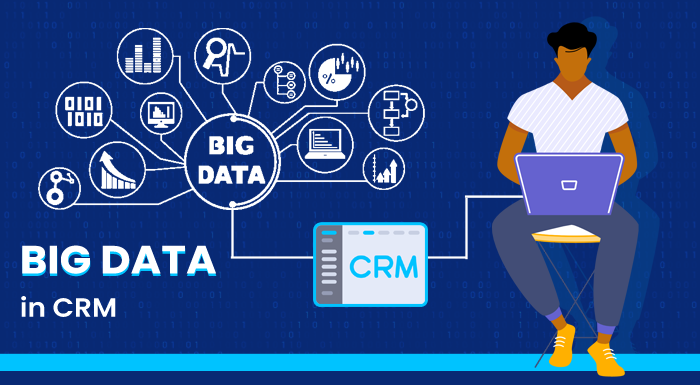
    Staying ahead of the competition means that businesses must continuously find new and innovative ways to improve their customer relationships and increase their customer base and market penetration. One way to do this is by using big data tools within your CRM system. This article explores the relevance of big data and data science to businesses and discusses how businesses can benefit from utilizing big data tools within their CRM systems. We will also look at some of the applications where big data is being used today to streamline the business pipeline. Data allows us to understand our business and customer interactions on a deeper level, so it is essential for businesses to utilize all of the data they can, in order to create a successful business strategy.

    So let’s start as expected – at the end. Why are we driven to explore different channels through which to drive change? Why drive change, to begin with? What is the end goal of it all?

    Well, to a business, the obvious end goal is revenue and profitability, and as we all know this is directly correlated to our ability to stay relevant to our customers throughout a prolonged period of time. Therefore, we must be capable of adapting and reacting to the changes in our customers’ needs, our competitive landscape, and macro changes in the market as a whole.

    The question most executives will ask themselves next, after understanding and accepting that change is inevitable, is – how do we establish a process that will enable us to make strategic decisions in an effective and educated manner?

    Well, as with every decision we make, we must have a sufficient understanding of our business environment so that the decisions we make and strategy we choose are relevant. Otherwise, we risk deciding upon changes while disregarding the actual need of our customers due to misinformation on our end.

    Establishing a deep understanding of the market within which every business operates is oftentimes directly correlated to the quality and quantity of communication channels the business has with its customers. As customers are the defining factor that ultimately makes or breaks the market – not only do they have the problem, they are the ones who decide the value of each business’s solution to the problem.

    So first, we must understand how we are going to create reliable communication channels with our customers. Technology has made this increasingly easy for businesses with the use of CRM systems. These systems track and capture all data regarding the customer and log every interaction the business has with every customer. Effectively generating a comprehensive and accessible database. (Checkout – Text message archiving strengthening Organizations )

    The most important aspect in creating these channels is that we want the data points tracked to be different to create as complete an image as possible for us to work with. In practical terms, this means capturing various types of interactions with customers, be it email, voice, messages, support interactions, etc.


    So now that we have established a reliable information channel regarding the market we are working within and we have the information enabling us to make a decision, this is exactly where data exploration can come in handy.

    The next step is understanding and tracking the lifecycle of our customers so that we can make the educated decisions we’re after. This lifecycle is affected by many different factors and thus is difficult to analyze. This is where we start benefiting from big data! The idea is that with the advanced analytics software available to us today we can gain incredible insight into the lifecycle of our customers and answer hard questions regarding ways we can improve and streamline our process: (for further example checkout Intelligence ci empowering sales teams)

    • Why doesn’t an individual become a customer?
    • What are the commonalities between our long-lasting customers?
    • What new markets have we been gaining traction with the most?
    • what are the most effective ways to communicate with customers?
    • Where are the most relevant pain points customers are experiencing with our product or service?

    These are all points that can be solved by tracking and analyzing various components of the data over time. Therefore, we must lay down the foundation that will allow adequate data capturing so that we can then monitor both the organic changes that occur in the market and diagnose the effects various actions that we take as a business have on our success rate – overall driving better and more effective business decision making across multiple business facets. (For further reading on the topic – Are you really making informed decisions? )

  • A Guide to Integrating Microsoft Teams and Cellular Phones

    A Guide to Integrating Microsoft Teams and Cellular Phones

    The pandemic has accelerated the adoption of various communication platforms including Microsoft Teams, Zoom and Slack. The need for a complete workspace offering that has chat, videoconferencing, application integration, and storage features to seamlessly transition into the new work-from-home normal allowed companies to experiment with different platforms.

    Among the most preferred business communication platforms was Microsoft Teams that exploded in popularity during the lockdown. The daily active usage of Teams went from 32 million in March 2020 to 250 million by July 2021. As employees felt more convenient collaborating on Teams, regular meetings and conference calls were conducted on the communication platform.

    Now, having experienced the numerous productivity benefits of Microsoft Teams, organizations want to continue using the platform and are even considering using Teams as their primary phone system, replacing their existing legacy or cloud PBX system.

    With no certainty over the full return back to offices, work from home and hybrid workspaces are here to stay. Organizations are looking to be more strategic and take advantage of the situation while ensuring work doesn’t get interrupted. They’re looking to add solutions that make remote work feel normal and connected.

    While video conferencing and video calls work great for meetings and work sessions, regular cellular phone calls have become the preferred communication means among colleagues, and with customers and prospects. This drives more and more organizations and companies to look for a holistic solution that integrates their landline and cell phone communications onto one platform. For example, this brings organizations to consider replacing their legacy PBX systems with Microsoft Teams. The next natural step in the ‘evolution’ is that along with replacing the telephony infrastructure, they are also looking to integrate their communication processes and infrastructure with other systems, such as the Customer Relationship Management (CRM) system, call recording and analytics software, and add other capabilities.

    The final result of this evolution should include:

    • A centralized Microsoft Teams phone system for all employees (office, home, worldwide) with one business number per user, replacing the existing PBX
    • Local and worldwide cellular connectivity with the same business number as that of the Teams phone system
    • Recording of all business or work-related phone calls – landline, cellular, and via Teams
    • Text (SMS) and Whatsapp communication on the employee’s business number
    • CRM integration of all Microsoft Teams and cellular communication. For example, call recording, SMS and Whatsapp to automatically appear in the customer’s or prospect’s CRM records
    • A complete coherent centralized managed communication system integrating the organizational address book (Exchange / Outlook / Active Directory / Custom), allowing calls, conference and collaboration with Microsoft Teams.


    A good example could look like this:

    While envisioning a company-wide implementation of new systems to improve processes seems like a good strategy, like any other strategy, if not implemented properly, it can hurt productivity.

    To begin proper integration of Microsoft Teams and cellular phones and encourage end-user adoption, technical requirements have to be met and best practices have to be followed.

    Research

    Organizations have to research the benefits of switching to Microsoft Teams for all voice communications and take into account the financial impacts for the business and the forecast for improvement in productivity across the board.

    When there is compelling statistics and evidence that switching to Teams will benefit the organization, processes such as readiness of the organization, designing and planning the new system, testing the system, deploying, migrating users, and ensuring users are happy with the changes have to be prioritized in order.

    The Process of Migrating to Microsoft Teams

    A six-step process to migrate to Microsoft Teams is recommended. By following the process, organizations can effectively migrate to a Teams phone system while reaping the benefits.

    1. Readiness Test

    Reviewing the network health is essential before starting the migration process. Organizations should consider their current phone system and the problems that would be solved by the implementation.

    It is not mandatory for Teams to have every feature of the current PBX and hence rarely-used features should be left out. When most companies don’t ever use all PBX features, there is no point in including features that aren’t going to used.

    1. Designing and Planning

    When you’ve reviewed how to effectively implement the solution and are 100% convinced in your analysis and actions, you can plan and design great things for your organization.

    Your experts should understand network topology to ensure you move forward with the Microsoft Teams telephony migration. Your IT department should figure out the dialing configuration with a suitable communication partner that can aid in the process.

    Replacing the legacy PBX system requires working with a strategy that is outlined with the necessary steps to move to Teams phone integration. There are many benefits of migrating to a cellular voice call over VoIP including no call delays, network coverage issues, cellular network mobile data availability, etc.

    1. Testing

    When you’ve designed and planned the environment for migration, you have to test the phone migration system. A handful of users with new numbers can test the new system functionality to ensure everything is configured properly.

    The testing phase is extremely important to go through to identify flaws in the implementation and correct them before all phone numbers are ported to the new system.

    Organizations should take advantage of the built-in analytics functions available on Microsoft Teams to make sure the settings are properly configured. When it is shown that the platform configuration is reliable and can handle separate calls without drops in quality and other issues, the testing phase is considered a success.

    1. Deployment

    The new voice call system facilitated through Microsoft Teams has to be enabled. For starters, the Teams phone system should be activated alongside the existing PBX system to avoid any

    disruption in communications and business processes.

    Teams use as a voice solution should be encouraged across the organization for business calls internally and externally. The new voice platform should be ready to solve most of the voice call challenges of the internal team and tie it up together with other daily applications for seamless operations.

    1. Migrating Users

    Migration of users to the new phone system powered by Microsoft Teams should happen gradually and in stages. The old phone system should co-exist and run alongside Teams to allow the migration to happen smoothly.

    While the simple scenario to migrate users is to move them all together at the same time, most of the time it is a huge challenge as users may need to warm up to the new system before being able to comfortably use it.

    However, the co-existence with the older system should not be for long and organizations should set a deadline to completely move all voice calls and related services to the new phone system.

    1. User Experience

    User experience is paramount to ensure a smooth migration. When users are prepared and happy to migrate to the new system while reporting fewer and lesser technical issues and quality problems, the better it is for the adoption and usage of the new system.

    Organizations should take the feedback from their users and decide to make changes to the system that will improve the new phone system for everyone.

    It is always a good idea to have your IT department ready beforehand to address any security concerns and helpdesk tickets from concerned users. By constantly getting feedback from users and addressing their concerns, you increase the probability of completing a successful implementation of the new telephony infrastructure.

    A proven step-by-step implementation strategy such as the example above will drive the adoption of Teams calling. You will have all the tools necessary to assess your current situation, troubleshoot problems, enhance the new voice system by making modifications, and continue to innovate with a focus on improving productivity.

    Microsoft Teams and Cellular Phone Integration with CRM Integration and Other Features

    At Mobile2CRM, we offer a comprehensive solution that makes Microsoft Teams your default telephony system with added sophisticated communication and collaboration functionality. We help businesses and organizations integrate their CRM system with Microsoft Teams, add call recording and analytics feature to Teams, and permanently retire the existing PBX systems in favor of the new Microsoft Teams infrastructure.

    The CRM integration allows users to add voice calls (landline and cell phone), text messages, and native WhatsApp communications to the CRM of their choice. Call recording feature includes recording voice calls and WhatsApp 1:1 communication. Integration of call analytics systems allows users to measure the effectiveness of their business communications to enable themselves to be more productive throughout the work hours.

    There are other features that come with Microsoft Teams and cell phone integration including transcription of Microsoft Teams PSTN voice calls, click-to-call functionality where business calling is facilitated through CRM mobile apps or desktop for more convenience, regular cellular mobile calling with Teams number, multiple numbers per user, and using the same numbers irrespective of the geographical location.

    As the work-from-home system morphs into a work-from-anywhere system, employees will want to stay as connected as possible while also being able to easily move from one place to another. With Microsoft Teams as the primary telephone system, many communication issues including constantly switching to new numbers are solved as users can have multiple numbers that don’t change when they change in their physical location.

    VoIP-related complaints are common, especially by remote workers who experience issues with their mobile network coverage, call delays, and other technical difficulties. As a forward-looking organization, you have an effective solution at hand by implementing a cellular-native solution that uses the same number for your cell phone and Microsoft Teams.

    You can close the communication gaps with the effective implementation of a new phone system that offers lots of beneficial features while offering integration with your favorite work apps for easier communication and collaboration. By having all your communications within one infrastructure, you can seamlessly access all threads with other users without having to constantly switch devices.

    When you choose to use Mobile2CRM as your implementation partner in the migration to Microsoft Teams telephony system, user privacy is assured. Only business calls and text messages are captured without violating user privacy. All personal communication and other private conversations are respected and are not captured by the system.

    Want to know more about the benefits of integrating Mobile2CRM and Mobile2Teams with Microsoft Teams and upgrading business, operations, revenues and cost savings? 

    Contact us at [email protected] 

  • Are you really making the best-informed decisions? Or….. (Part 2 of 2)

    Are you really making the best-informed decisions? Or….. (Part 2 of 2)

    make informed decisions

    In our previous blog post, we mentioned that more and more business communications are taking place using cellphones over the cellular network and therefore remain unrecorded and undocumented by the organization’s systems.

    For this valuable business data to become a resource for your decision-making processes, a new type of solution is necessary that will give you access to all business-related call recordings, CRM, and other analytics and BI data. Only then will you be able to make fully informed business decisions about allocating resources, providing better CX, preventing customer churn, improving your competitive edge, and improving corporate performance.

    Let’s have a closer look at the features and capabilities a solution should have to provide in order for businesses to get a truly 360˚ view. To state the obvious, we are talking here about a near real-time solution that allows the recording and documenting of all business-related mobile calls into the organization’s systems regardless if your employees are using their own (BYOD) or a company cellphone. Needless to say, the tricky part is separating private from business calls for practical reasons (having one’s mother-in-law over for dinner is not exactly relevant BI) and, more importantly, for complying with the various privacy laws.

    Let’s have a look at how the Mobile2CRM solution works.

    Once your company has subscribed to the Mobile2CRM solution, each employee will be assigned a mobile business profile. The employees then download the mobile app to their cellphones from either the Google Play Store or the Apple AppStore. Alternatively, your company can allow employees to download the app via its own MDM system.

    After employees install the app on their mobile devices, they can start using their new (and real) business mobile number while keeping all the functionality that they are used to and love. From that moment on, all incoming and outgoing business calls and SMS messages via the assigned mobile number will be recorded and documented in your company’s CRM and call recording systems. If employees use IM services such as WhatsApp for business purposes, the solution can add an IM business profile for that IM service. Needless to say, only business-related messages and calls will be recorded. It is important to note that the recording is effective and dependable since it uses native cellular networks, as opposed to VoIP services that are known to have issues (e.g., dropped calls, VOIP coverage, audio quality, etc.).

    The Mobile2CRM solution logs metadata as well as the content of calls and text messages, dates, times, duration, and content of each call is recorded as well as the calling/called numbers, and also if the call was answered or not. No more valuable business info flying under the radar; it’s documented in the CRM.

    Let’s recap – with a solution as described above, you will have all the recorded calls and documented data you need for your decision-making when accessing your company’s CRM  and other (e.g., Analytics, BI) systems. Yes, it really is as simple as that…

  • Going into Crisis Mode – Your Workforce and the New Normal

    Going into Crisis Mode – Your Workforce and the New Normal

    While we are facing the 2nd wave of COVID-19 (or a spiking first – depending on the expert you listen to), enterprises need to go into crisis mode quickly and efficiently. In addition to adapting their business models, looking for additional revenue streams, or alternative supply chains, many companies are now deciding to let almost all their employees work remotely. With the current work visa and travel restrictions, this only makes sense.

    We have witnessed the following scenario taking place quite a few times already – It is Thursday, 3PM, an unscheduled management call has just ended, and the action item is this:

    “Effective Monday morning, the company is transitioning to off-premise working mode. This is due to the global health situation and pandemic risks…..”

    The first thought that crosses your mind (especially if you are in operations, IT, cyber security, etc.) is “there goes the weekend…” and the second thought is “how on earth are we going to make sure everybody can do their job – they need to have the resources that they are used to, at least phone communications, secure access to the ERP, CRM, call recording systems, analytics, and some other essentials.”

    So, let’s look at the big picture for a moment – obviously this is a major challenge. Management can opt for providing each employee with a laptop, but that means ordering extra ones. That is expensive and tricky, since they are in short supply as everyone and their mother in law in many companies need to start working from home, and every kid and student attending class from home needs his/her own laptop to videoconference and do homework.

    Another option is to provide each employee working from home or remotely with a software-based phone (aka softphones) and a headset. The main drawback? It requires a desktop computer, a stable internet connection, VPN, etc. so this is not an optimal solution. Furthermore – this is good only for VOIP communications and does not cover employees who’re on-the-road.

    So….letting them use their own devices (laptops, cellphones) is the answer, right? Well, the IT and CISO department will wholeheartedly disagree. They would be living in a nightmare of not only changing the corporate access permissions (e.g., CRM, recording systems), but also beefing up cybersecurity. As we have seen in previous months, the corona crisis, combined with the working from home (WFH) trend, has been a bonanza for hackers and cybercrooks. To top it off, the company has to bank on the fact that their employees have sufficient bandwidth at home to work remotely, while their kids are gaming and their spouses may also need the same resources to do their own job.

    Quite a challenge! So, is there a faster and easier solution to address the problem? One that will make management, employees, the IT department, and the CISO happy?

    Indeed there is! The answer is adding a business line within minutes to the cellphone of each and every remote worker that will only be used for business calls, allow secure and trackable access to corporate resources, allow recording, and – adhere to privacy regulations. To make sure that the quality is high, and it also does not gobble up a lot of bandwidth, the solution uses the  cellular network (and not VoIP).

    Sound good? Want to learn more? Contact us now or request a demo.

  • How to listen to the silent voice of your customers

    How to listen to the silent voice of your customers

    Mobile Call Recording for Call Centers

    Did you know that the majority of business calls between your organization and the outside world are now mobile-based? Just think about your employees in the field (your “road warriors”), who spend a lot of time on the road, at airports, in hotels, etc. Recent estimates are that they spend up to 60% of their workday on their cellphones talking to customers.


    In itself, using cellphones to interact with customers is great for CX, is highly efficient, and gives your employees the flexibility they need to do their job. That’s the good news. The bad news? These conversations are not recorded and entered in your CRM, which means that you have a huge information gap in your organization. While customer communications via email, chat, and office landlines are recorded without any problems, the mobile conversations of your field staff (technicians, sales reps, real estate brokers, etc.) remain off the radar.


    The answer to monitoring these “silent” conversations seems to be obvious, right? It’s called call recording.  That’s easier said than done though. For one, as your employees are working from home (WFH) or remotely, they use their mobile phones for both private and business communications, especially if you have a Bring Your Own Device (BYOD) policy in place. Moreover, native mobile (peer-to-peer) communications are hard to monitor, and many IOS and Android apps block call recording software on cell phones. Last but not least, privacy regulations also come into play. That’s why companies rarely capture the critical mobile customer communications of their field staff.


    So now what? Is there a way to record only the business calls that your employees make using cellphones without the need to provide them with a separate device?  A way that allows for those calls to be recorded and entered into your CRM for analysis and follow-up? And that fully complies with all privacy laws and regulations?


    Yes, there is such a way!  The first step is separating business calls from private calls. This is accomplished by adding a virtual business profile to each of your employee’s mobile phones. Next you need to have the proper software solution that is integrated with your call recording system and your CRM, and can differentiate between calls made using the private profile and those made using the business one. Last but not least, such a solution needs to have quite a few standard features such as out of office / working rules, call forwarding, multi-numbers etc.


    There actually is a solution that already does that.  It lets you listen to the silent voice of your customers, and record all your mobile business conversations, without invading privacy or breaching any privacy laws or regulations. Especially “in the new normal”, you can have the complete 360o customer view that you need.


    Click here to learn more about this innovative approach!

  • What do you really remember after your last customer call?

    What do you really remember after your last customer call?

    Hermann Ebbinghaus and other leading memory researchers measured the decrease in the ability of the brain to retain memory over time. He documented the results in what’s today known as the Ebbinghaus forgetting curve.
    The shocking fact is that you can witness a 50% decrease in retention within 20 minutes, or 70% loss within 24 hours. This means that people forget up to 50% of what they hear after 20 minutes or so…

    Luckily there are ways to fight it. For example, by taking ample notes during conversations and calls.  

    Memory retention can be greatly improved by taking good notes, but you need to factor-in the fact that your salespersons or delivery truck drivers can’t take detailed and dependable notes while boarding a flight, or while changing lanes in the rain at 70mph on the I95. 

    Another great option is to record the call. The main problem is that both IOS and Android app stores block telephone recording applications, so if you use a personal recording app you will only record one side of the conversation. Furthermore, it will not connect the call to your CRM, and last but not least you may be in violation of the privacy act. 

    Conceptually, the requirements from a solution to this are quite clear – record all business calls and other communications data such as text messages without infringing on employees’ privacy, without giving them a separate phone, all while continuing to use your current CRM and the enterprise call recording systems.  This way, reps and other employees will not be bothered by the need to keep a record of every call and its details, and will be focused on the call as they know that they will always be able to listen and review the call detail at any time and remember and document all that’s been said and what’s needed.

    Easier said than done of course

    In one of the next blogposts, I will look at some of the required characteristics of possible solutions and technologies that can overcome the challenge, and surprisingly enough point you to a solution that actually performs the trick…  stay tuned!